






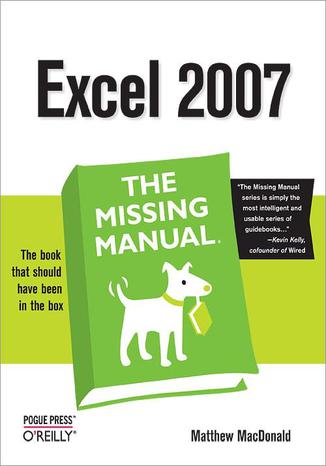
Excel 2007: The Missing Manual Matthew MacDonald

- Autor:
- Matthew MacDonald
- Wydawnictwo:
- O'Reilly Media
- Ocena:
- Stron:
- 860
- Dostępne formaty:
-
ePubMobi
Opis
książki
:
Excel 2007: The Missing Manual
Microsoft Excel continues to grow in power, sophistication, and capability, but one thing that has changed very little since the early '90s is its user interface. The once-simple toolbar has been packed with so many features over the years that few users know where to find them all. Microsoft has addressed this problem in Excel 2007 by radically redesigning the user interface with a tabbed toolbar that makes every feature easy to locate and use. Unfortunately, Microsoft's documentation is as scant as ever, so even if users can find advanced features, they probably won't know what to do with them.
Excel 2007: The Missing Manual covers the entire gamut of how to build spreadsheets, add and format information, print reports, create charts and graphics, and use basic formulas and functions. Like its siblings in the Missing Manual series, this book crackles with a fine sense of humor and refreshing objectivity about its subject, guiding readers through the new Excel with clear explanations, step-by-step instructions, lots of illustrations, and friendly, time-saving advice. It's a perfect primer for small businesses with no techie to turn to, as well as those who want to organize household and office information.
Wybrane bestsellery
-
 Komputer i Internet od dawna są nieodłącznymi elementami naszej codzienności, a dziś - w erze sztucznej inteligencji - ich rola jest jeszcze większa. Dzięki nim możesz nie tylko szybciej załatwiać sprawy urzędowe, robić zakupy czy pozostawać w kontakcie z bliskimi, ale także korzystać z nowych narzędzi, które pomagają w nauce, pracy i twórczości.
-
ebook
-
książka
37 pkt
(29,90 zł najniższa cena z 30 dni)
37.95 zł
69.00 zł (-45%) -
-
 Matura z informatyki na poziomie rozszerzonym należy do najbardziej przyszłościowych egzaminów dodatkowych otwiera drzwi na studia na kierunkach technicznych, takich jak informatyka, sztuczna inteligencja, analiza danych czy cyberbezpieczeństwo. Coraz więcej uczelni traktuje wyniki tego egzaminu jako jeden z najważniejszych elementów rekrutacji, dlatego dobre przygotowanie do niego może znacząco zwiększyć Twoje szanse, by się dostać na wymarzony kierunek. Ten kurs został pomyślany jako szybka i konkretna powtórka materiału do matury z informatyki w zaledwie 6 godzin pozwoli Ci uporządkować najważniejsze zagadnienia i strategie rozwiązywania zadań egzaminacyjnych.
-
kurs
96 pkt
(116,10 zł najniższa cena z 30 dni)
96.75 zł
129.00 zł (-25%) -
-
 W ciągu ostatnich kilku lat arkusz kalkulacyjny Excel intensywnie się rozwijał. Pojawiły się nowe funkcje i wbudowane narzędzia, pozwalające rozwiązywać typowe problemy w sposób bardziej zwięzły i efektywny. Zaszła między innymi rewolucyjna zmiana w podejściu do tablic i wykonywanych z ich udziałem obliczeń. Wyjściowo Excel był „komórkocentryczny” - główny nacisk kładziono w nim na użycie do obliczeń pojedynczych komórek traktowanych odrębnie i tworzenie na ich podstawie ciągów obliczeniowych. Aktualnie akcentuje się przede wszystkim przetwarzanie od razu całych tablic danych, obejmujących wiele komórek.
-
ebook
-
książka
48 pkt
(39,90 zł najniższa cena z 30 dni)
48.95 zł
89.00 zł (-45%) -
-
 Teraz możesz łatwo sprostać takim wyzwaniom i uzyskiwać niezwykłe rezultaty. Wystarczy, że skorzystasz z narzędzi dostępnych w Excelu ― i z tej książki. To zaktualizowane wydanie praktycznego przewodnika po Power Query. Pozwoli Ci opanować umiejętność efektywnego przetwarzania danych i wydobywania z nich wartościowych informacji. Dowiesz się, jak wykonywać złożone prace analityczne i jak używać procedur w języku M. Znajdziesz tu ponad 70 ćwiczeń i 200 plików, dzięki którym nauczysz się importować bezładne, rozdzielone tabele danych i automatycznie przekształcać je w ustrukturyzowane zbiory gotowe do analizy. Większość opisanych technik z łatwością zapamiętasz i użyjesz do swoich potrzeb.
-
ebook
-
książka
59 pkt
(39,90 zł najniższa cena z 30 dni)
59.94 zł
109.00 zł (-45%) -
-
 Przeciętny użytkownik Excela może jednak nie wiedzieć, że program oferuje mnóstwo zaawansowanych funkcji pozwalających wydajnie oszczędzać czas dzięki automatyzacji i przyspieszaniu powtarzalnych zadań. Te zaawansowane funkcje są dostępne dla każdego, niezależnie od branży. Wystarczy opanować kilka prostych trików, które poznasz za sprawą naszego kursu – o ile zdecydujesz się wziąć w nim udział. W jego trakcie przyjrzymy się nie tylko tabelom przestawnym czy warunkowemu formatowaniu. Sięgniemy także po potężne narzędzia, które wspierają wysoce zaawansowaną analizę danych. Jeśli zastanawiasz się, czy to wiedza dla Ciebie, spójrz na sprawę z punktu widzenia rynku – znajomość zaawansowanych funkcji Excela jest jedną z najczęściej wymienianych umiejętności w ofertach pracy, zwłaszcza w obszarze analityki i zarządzania danymi.
-
kurs
74 pkt
(89,10 zł najniższa cena z 30 dni)
74.24 zł
99.00 zł (-25%) -
-
 Dzięki tej praktycznej książce przekonasz się, że w Excelu możesz przeprowadzić dogłębną analizę danych i wyciągnąć z nich cenną wiedzę. Wystarczy, że skorzystasz z najnowszych funkcji i narzędzi Excela. W poradniku pokazano, jak za pomocą Power Query budować przepływy pracy porządkujące dane i jak projektować w skoroszycie relacyjne modele danych przy użyciu Power Pivot. Ponadto odkryjesz nowe możliwości przeprowadzania analiz, w tym dynamiczne funkcje tablicowe i pozyskiwanie wartościowych informacji z wykorzystaniem sztucznej inteligencji. Dowiesz się również, jak za sprawą integracji z Pythonem zautomatyzować analizę danych i budować raporty.
-
ebook
-
książka
36 pkt
(29,90 zł najniższa cena z 30 dni)
36.84 zł
67.00 zł (-45%) -
-
 Język DAX (Data Analysis Expressions) został stworzony przez firmę Microsoft jako język wyrażeń, służący do pracy z takimi narzędziami analizy danych jak Power BI, Power Pivot w Excelu czy SQL Server Analysis Services. Pozwala tworzyć zaawansowane raporty, analizy biznesowe i dynamiczne wizualizacje danych. Jeśli zamierzasz na poważnie zająć się analizą danych, warto nauczyć się korzystać z języka DAX. Ten kurs pokaże Ci, jakie możliwości oferuje on w tandemie z Power BI – zestawem aplikacji i usług klasy business intelligence od Microsoft, służącym gromadzeniu, zarządzaniu, przetwarzaniu i analizie danych pochodzących z różnych źródeł. Power BI uznaje się aktualnie za najpopularniejsze narzędzie w obszarze business intelligence na rynku.
-
kurs
171 pkt
(171,74 zł najniższa cena z 30 dni)
171.74 zł
229.00 zł (-25%) -
-
 Szybka i efektywna analiza danych – temu właśnie służą tabele i wykresy przestawne dostępne w arkuszu kalkulacyjnym Excel. Nieistotne dla osób, które z Excela korzystają doraźnie – po to, by ułatwić sobie zapisywanie pewnych informacji i prezentowanie ich w bardziej profesjonalny sposób – w rękach eksperta od analizy stają się naprawdę potężnym narzędziem. Szczególnie dziś, kiedy dane okazują się często warte więcej od złota, umiejętność ich analizowania i wyciągania z nich wniosków bywa bezcenna. Tym bardziej warto poznać tabele przestawne, które pozwalają na agregowanie dużych zbiorów danych i ułatwiają identyfikację trendów. A po co sięgać po narzędzia alternatywne, skoro to właśnie Excel używany jest najczęściej – ma ponad 750 milionów użytkowników na całym świecie, co sprawia, że umiejętność korzystania z niego (także w celach analitycznych) od dawna jest pożądana na rynku pracy i ułatwia zdobycie najlepiej płatnych stanowisk.
-
kurs
149 pkt
(179,10 zł najniższa cena z 30 dni)
149.25 zł
199.00 zł (-25%) -
-
 Microsoft Excel to arkusz kalkulacyjny o wielkich możliwościach. Jako pionier wśród programów biurowych miał duży wpływ na rozwój dziedziny wizualizacji danych. Jeśli chcesz przedstawić dane w graficznej formie, z dużym prawdopodobieństwem skorzystasz w tym celu właśnie z Excela. Nie potrzebujesz zaawansowanej wiedzy statystycznej, by tworzyć wykresy czy filtrować i łączyć dane z różnych źródeł. Na pewno jednak zadasz pytanie: jaki wykres wybrać i jak przygotować dane do prezentacji? Przychodzimy z odpowiedzią! W ciągu 12 godzin naszego kompleksowego szkolenia poznasz najwyższe standardy graficznej prezentacji danych w Excelu. Zgłębisz wiedzę w zakresie dostępnych typów wykresów, ale przede wszystkim dowiesz się, jak prawidłowo przygotować dane przed prezentacją i dobrać odpowiedni wykres w zależności od rodzaju danych.
-
kurs
149 pkt
(149,25 zł najniższa cena z 30 dni)
149.25 zł
199.00 zł (-25%) -
-
 Arkusz kalkulacyjny Microsoft Excel to dzisiaj podstawowe narzędzie pracy w większości firm. Niemal na każdym stanowisku umiejętność sprawnego poruszania się w Excelu, zarządzania danymi, szybkiego ich podliczania i wyciągania z nich w wniosków (na przykład w formie zgrabnego wykresu) to warunek konieczny do tego, by zostać zatrudnionym, awansować albo – po prostu – pracować szybciej, wydajniej, sprawniej. Z pewnością zdajesz sobie z tego sprawę, ale może czujesz, że coś Cię powstrzymuje przed zagłębieniem się w tajniki najpopularniejszego na świecie arkusza kalkulacyjnego. Może nie wiesz, jak się do tego zabrać. Może nie masz w pobliżu nikogo, kto ma czas i odpowiednie podejście i mógłby Cię nauczyć odpowiednich trików. A może, podjąwszy decyzję „chcę to wreszcie ogarnąć!”, właśnie rozglądasz się za odpowiednim szkoleniem?
-
kurs
74 pkt
(74,24 zł najniższa cena z 30 dni)
74.24 zł
99.00 zł (-25%) -
Matthew MacDonald - pozostałe książki
-
 The world’s most popular spreadsheet program is now more powerful than ever, but it’s also more complex. That’s where this Missing Manual comes in. With crystal-clear explanations and hands-on examples, Excel 2013: The Missing Manual shows you how to master Excel so you can easily track, analyze, and chart your data. You’ll be using new features li
-

-
ebook
118 pkt
(83,40 zł najniższa cena z 30 dni)
118.15 zł
139.00 zł (-15%) -
-
 Excel, the world's most popular spreadsheet program, has the muscle to analyze heaps of data. Beyond basic number-crunching, Excel 2010 has many impressive features that are hard to find, much less master -- especially from online help pages. This Missing Manual clearly explains how everything works with a unique and witty style to help you learn q
-
-
ebook
109 pkt
(77,40 zł najniższa cena z 30 dni)
109.65 zł
129.00 zł (-15%) -
-
 "Excel 2007. Nieoficjalny podręcznik" ma wypełniać lukę w obszarze wszechstronnych omówień tego popularnego programu.
-
ebook
-
książka
54 pkt
(29,90 zł najniższa cena z 30 dni)
54.45 zł
99.00 zł (-45%) -
-
 Fast-paced and easy to use, this new book teaches you the basics of Excel 2007 so you can start using the program right away. This concise guide shows readers how to work with Excel's most useful features and its completely redesigned interface. With clear explanations, step-by-step instructions, lots of illustrations, and plenty of timesaving advi
-
-
ebook
55 pkt
(38,99 zł najniższa cena z 30 dni)
55.24 zł
64.98 zł (-15%) -
-
 Why reinvent the wheel every time you run into a problem with JavaScript? This cookbook is chock-full of code recipes for common programming tasks, along with techniques for building apps that work in any browser. You'll get adaptable code samples that you can add to almost any project--and you'll learn more about JavaScript in the process.The reci
-
-
ebook
203 pkt
(143,40 zł najniższa cena z 30 dni)
203.15 zł
239.00 zł (-15%) -
-
 Whether you're a budding blogger or seasoned web designer, WordPress is a brilliant tool for creating websites--once you know how to tap into its impressive features. The latest edition of this jargon-free Missing Manual shows you how to use WordPress's themes, widgets, and plug-ins to build just about any kind of site.The important stuff you need
-
-
ebook
160 pkt
(113,40 zł najniższa cena z 30 dni)
160.65 zł
189.00 zł (-15%) -
-
 You can easily create a professional-looking website with nothing more than an ordinary computer and some raw ambition. Want to build a blog, sell products, create forums, or promote an event? No problem! This friendly, jargon-free book gives you the techniques, tools, and advice you need to build a site and get it up on the Web.The important stuff
-
-
ebook
84 pkt
(59,94 zł najniższa cena z 30 dni)
84.92 zł
99.90 zł (-15%) -
-
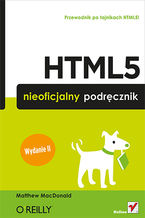 Książka, którą trzymasz w rękach, należy do cenionej serii „Nieoficjalny podręcznik”. Jej kolejne wydanie zostało poprawione, zaktualizowane i rozszerzone o mnóstwo nowych informacji. Dzięki tej publikacji nie musisz odkrywać tajników HTML5 na własną rękę. Liczne przykłady oraz szczegółowe omówienie najróżniejszych zagadnień sprawią, że w mig opanujesz niuanse tego języka. W trakcie lektury dowiesz się, jak wykorzystać nowy element canvas i jak bez trudu zlokalizować użytkownika, oraz zobaczysz, jak przechować kluczowe dane w bazie przeglądarki. Sięgnij po tę książkę i przekonaj się, jakie możliwości daje Ci HTML5!
-
ebook
-
książka
42 pkt
(24,90 zł najniższa cena z 30 dni)
42.35 zł
77.00 zł (-45%) -
Kup polskie wydanie:




Szczegóły książki
- ISBN Ebooka:
- 978-05-965-5492-7, 9780596554927
- Data wydania ebooka :
-
2006-12-27
 Data wydania ebooka często jest dniem wprowadzenia tytułu do sprzedaży i może nie być równoznaczna
z datą wydania książki papierowej. Dodatkowe informacje możesz znaleźć w darmowym fragmencie.
Jeśli masz wątpliwości skontaktuj się z nami sklep@ebookpoint.pl.
Data wydania ebooka często jest dniem wprowadzenia tytułu do sprzedaży i może nie być równoznaczna
z datą wydania książki papierowej. Dodatkowe informacje możesz znaleźć w darmowym fragmencie.
Jeśli masz wątpliwości skontaktuj się z nami sklep@ebookpoint.pl.
- Język publikacji:
- angielski
- Rozmiar pliku ePub:
- 26.7MB
- Rozmiar pliku Mobi:
- 26.7MB

O'Reilly Media - inne książki
-
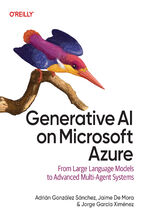 Companies are now moving generative AI projects out of the lab and into production environments. To support these increasingly sophisticated applications, they’re turning to advanced practices such as multi-agent architectures and complex code-based frameworks. This practical handbook shows you how to leverage cutting-edge techniques using Microsof
-
-
ebook
203 pkt
(194,65 zł najniższa cena z 30 dni)
203.15 zł
239.00 zł (-15%) -
-
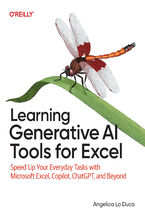 Looking to take your Excel skills to the next level? With the power of AI, you can supercharge your workflows, automate repetitive tasks, and perform advanced data analysis. Written for Excel users with little to no AI experience, this book bridges the gap between traditional spreadsheet skills and the revolutionary capabilities of generative AI—em
-
-
ebook
169 pkt
(160,65 zł najniższa cena z 30 dni)
169.14 zł
199.00 zł (-15%) -
-
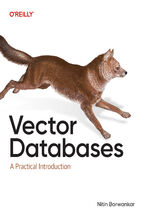 The AI revolution is here, and at its core lies a game-changing technology that most developers haven't fully explored: vector databases. From powering semantic search to enabling large language models (LLMs) and generative AI, vector databases are reshaping how we build applications with unstructured data like text, images, and audio. But how do y
-
-
ebook
203 pkt
(194,65 zł najniższa cena z 30 dni)
203.15 zł
239.00 zł (-15%) -
-
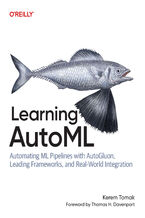 Learning AutoML is your practical guide to applying automated machine learning in real-world environments. Whether you're a data scientist, ML engineer, or AI researcher, this book helps you move beyond experimentation to build and deploy high-performing models with less manual tuning and more automation. Using AutoGluon as a primary toolkit, you'l
-
-
ebook
228 pkt
(211,65 zł najniższa cena z 30 dni)
228.65 zł
269.00 zł (-15%) -
-
 The vast potential of AI technology remains untapped in areas like audio, video, and complex data analysis. In fact, many of today's professionals find it challenging to apply AI innovations across these diverse domains due to a lack of guidance and practical implementations.This comprehensive guide, tailored especially for intermediate to advanced
-
-
ebook
228 pkt
(211,65 zł najniższa cena z 30 dni)
228.65 zł
269.00 zł (-15%) -
-
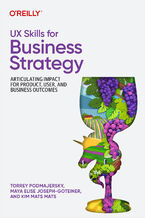 Today's design leaders and UX professionals are faced with a growing challenge: How do you choose the right UX skills to meet critical business goals, while proving their value to stakeholders? This book presents your solution, offering a clear, actionable framework for linking UX decisions directly to your company's bottom line. Authors Torrey Po
-
-
ebook
160 pkt
(152,15 zł najniższa cena z 30 dni)
160.65 zł
189.00 zł (-15%) -
-
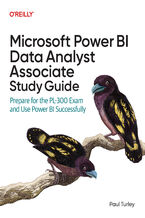 Passing the PL-300 exam with 2025 revisions isn't just about memorization—you need to thoroughly know the basic features of Power BI. However, data professionals must also apply best practices that make Power BI solutions scalable and future-proof. The first half of this go-to companion by Paul Turley provides complete coverage of the PL-300 exam o
-
-
ebook
169 pkt
(160,65 zł najniższa cena z 30 dni)
169.14 zł
199.00 zł (-15%) -
-
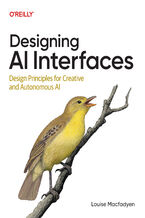 Designing AI Interfaces is a practical, design-first guide for product teams building with large language models and autonomous systems. As artificial intelligence becomes central to modern product design, UX professionals must adapt their toolkits to meet new demands. In Designing AI Interfaces, senior product designer Louise Macfadyen offers a ti
-
-
ebook
228 pkt
(211,65 zł najniższa cena z 30 dni)
228.65 zł
269.00 zł (-15%) -
-
 You know how to code, but you're ready to level up. You've heard about the power and performance of C++, a language vital to fields like AI, game development, and high-performance computing. But where do you even start? Existing resources are outdated or overly academic, or they assume a deep understanding of C. You need a guide that respects your
-
-
ebook
169 pkt
(160,65 zł najniższa cena z 30 dni)
169.14 zł
199.00 zł (-15%) -
-
 Generative AI is revolutionizing industries, and Kubernetes has fast become the backbone for deploying and managing these resource-intensive workloads. This book serves as a practical, hands-on guide for MLOps engineers, software developers, Kubernetes administrators, and AI professionals ready to combine AI innovation with the power of cloud nativ
-
-
ebook
169 pkt
(160,65 zł najniższa cena z 30 dni)
169.14 zł
199.00 zł (-15%) -
Dzięki opcji "Druk na żądanie" do sprzedaży wracają tytuły Grupy Helion, które cieszyły sie dużym zainteresowaniem, a których nakład został wyprzedany.
Dla naszych Czytelników wydrukowaliśmy dodatkową pulę egzemplarzy w technice druku cyfrowego.
Co powinieneś wiedzieć o usłudze "Druk na żądanie":
- usługa obejmuje tylko widoczną poniżej listę tytułów, którą na bieżąco aktualizujemy;
- cena książki może być wyższa od początkowej ceny detalicznej, co jest spowodowane kosztami druku cyfrowego (wyższymi niż koszty tradycyjnego druku offsetowego). Obowiązująca cena jest zawsze podawana na stronie WWW książki;
- zawartość książki wraz z dodatkami (płyta CD, DVD) odpowiada jej pierwotnemu wydaniu i jest w pełni komplementarna;
- usługa nie obejmuje książek w kolorze.
Masz pytanie o konkretny tytuł? Napisz do nas: sklep@ebookpoint.pl
Książka drukowana


Oceny i opinie klientów: Excel 2007: The Missing Manual Matthew MacDonald
(0)